Launch Your Logistics Infrastructure
Get started with RapidLinks in just a few guided steps and prepare your logistics operations for scale.
Setup Journey
Complete these steps to activate your logistics infrastructure.
Step 1
Company Information
Step 1
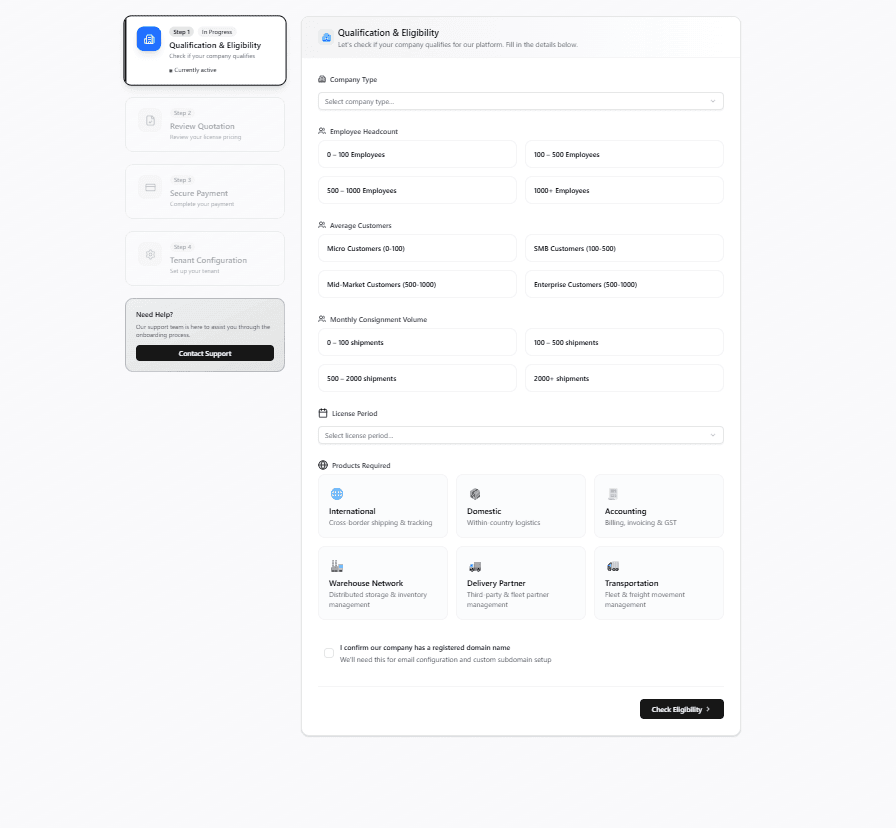
Select the type of company you operate.
Choose the range that best matches your current workforce.
Select your approximate active customer base and This helps us understand your business scale
Estimate the number of shipments your business handles each month.
Select your preferred subscription duration.
Choose the modules your business needs:
Confirm that your company owns a registered domain name and This is required for email configuration and tenant setup
Click to expand
Step 2
Review Quotation
Step 2
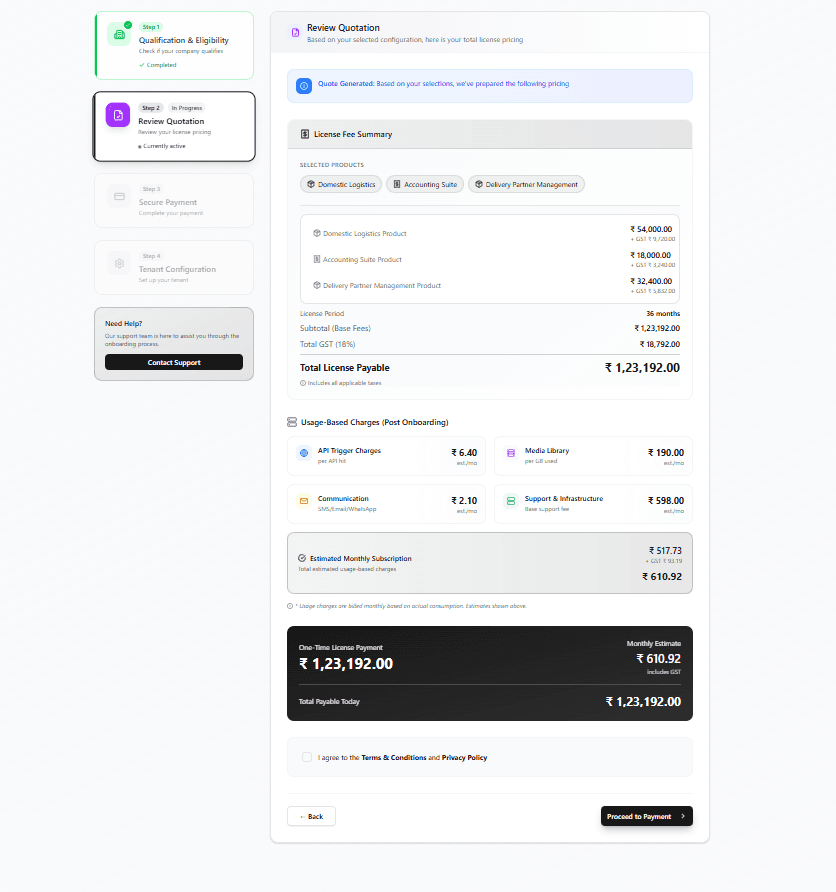
Verify that the quotation has been generated based on the selections made in Step 1. and Ensure the pricing reflects your chosen business requirements
Verify all selected products and modules.
Review the license fee summary including base fees, GST, and total payable amount.
Check the estimated usage-based charges that may apply after onboarding.
Review the estimated monthly subscription cost.
Verify the final payment summary before checkout.
Accept the Terms & Conditions and Privacy Policy.
Complete the payment process.
Click to expand
Step 3
Secure Payment
Step 3
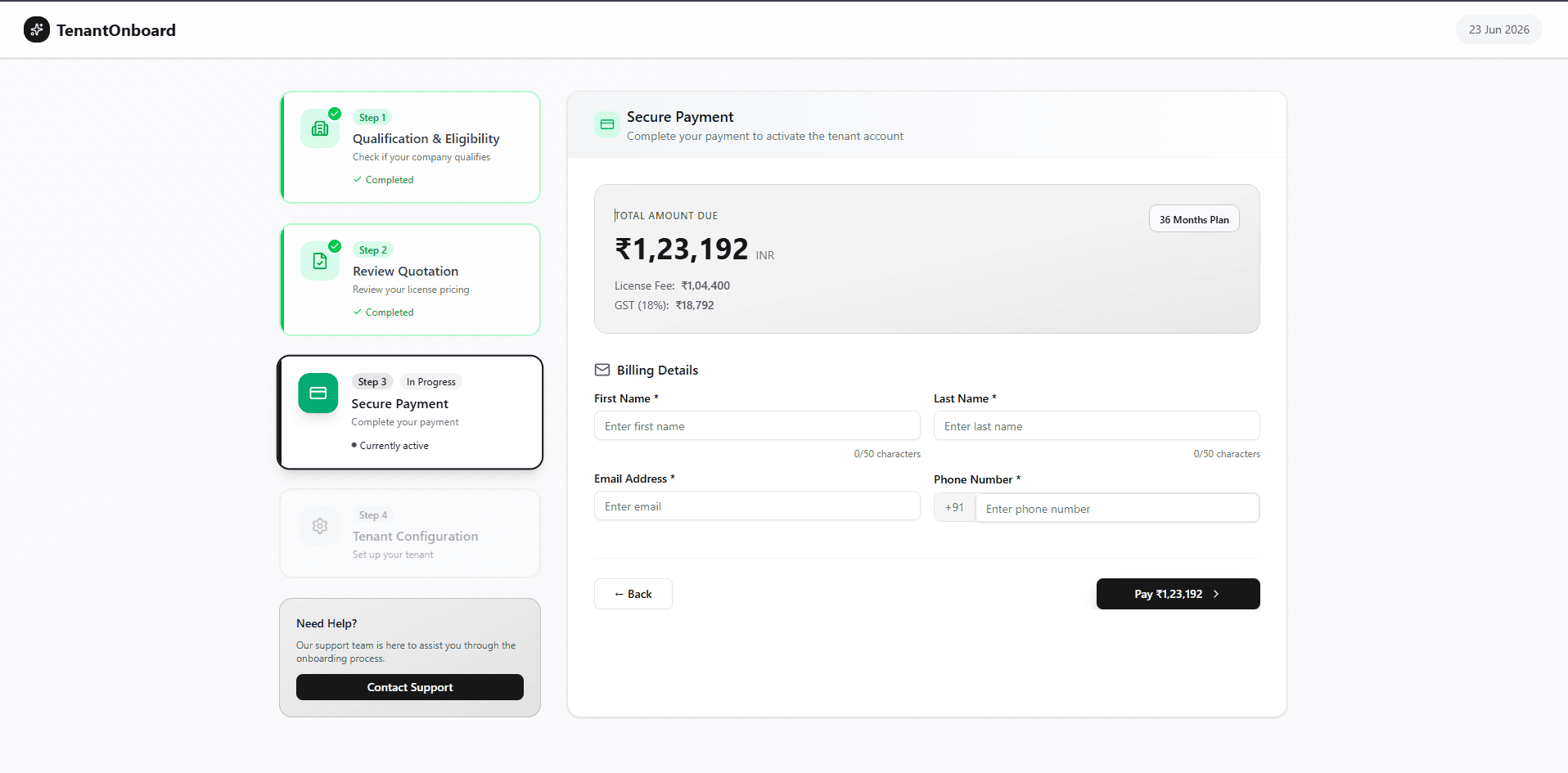
Review the total amount due, including license fees and applicable taxes.
Verify the selected license plan duration.
Enter the billing contact's first and last name.
Provide a valid business email address.
Enter the billing address.
Select a payment method and 'Pay Now' to complete the payment process.
Once payment is successful, proceed to tenant configuration.
Click to expand
Step 4
Tenant Configuration
Step 4
Personal Info
Enter the primary administrator's personal information
.png&w=3840&q=75)
Click to expand
Step 1 of 4
Step 5
Complete Tenant Onboarding
Step 5
Step 7
Go Live
Step 7
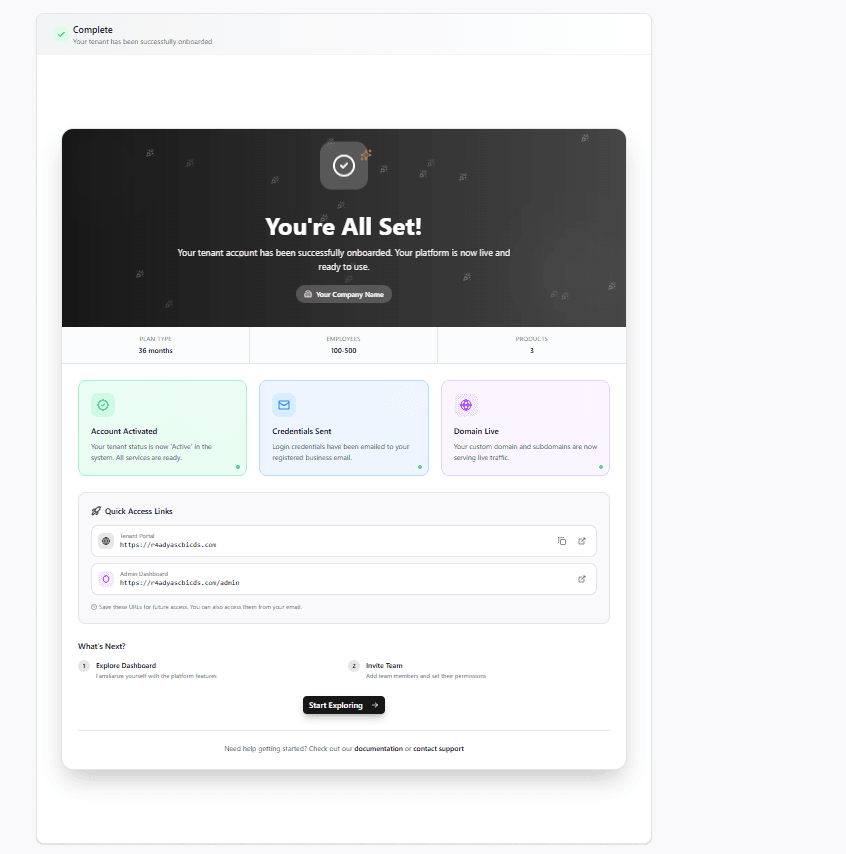
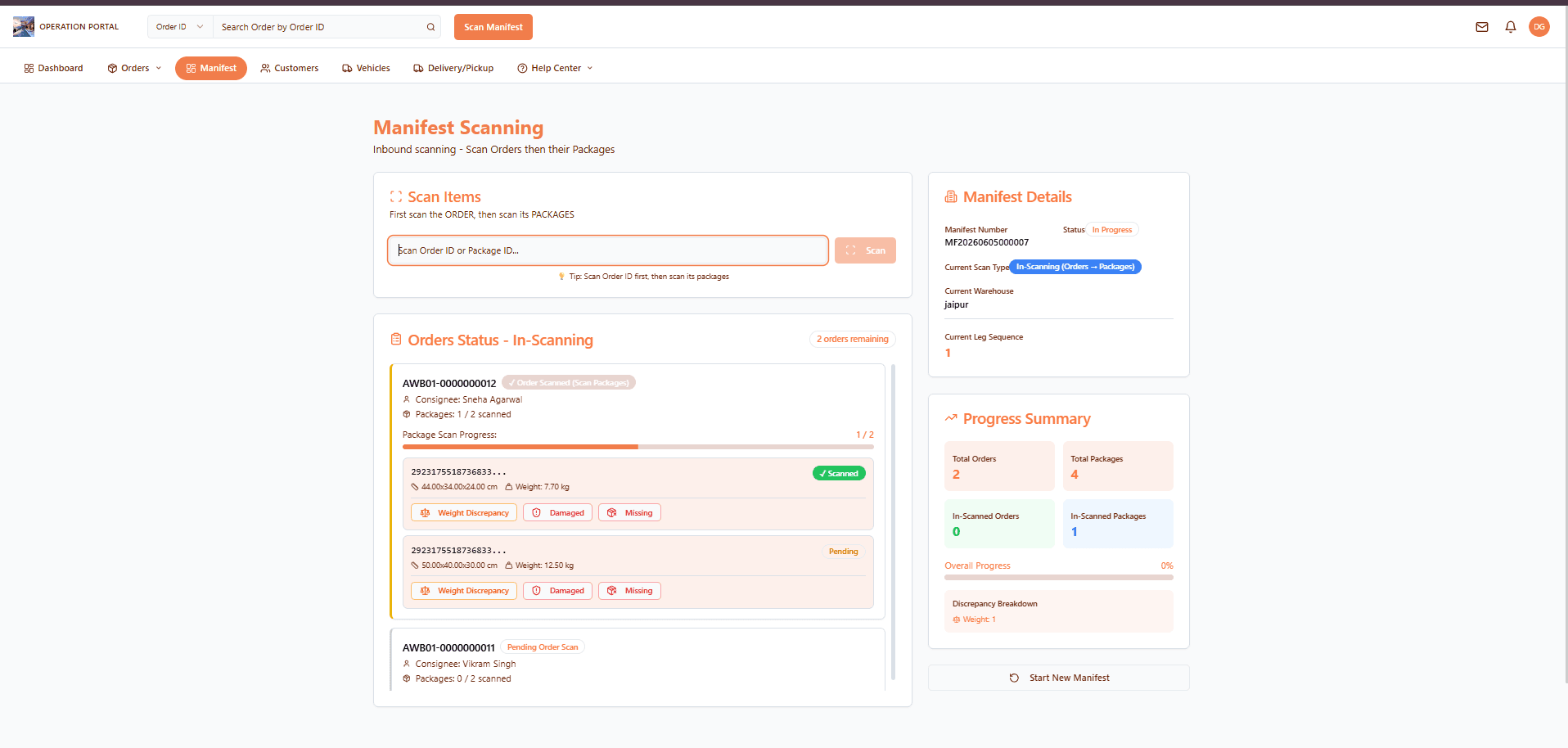
Launch your logistics platform and start managing your shipments.
Click to expand